How to Reset a GE Refrigerator Water Filter
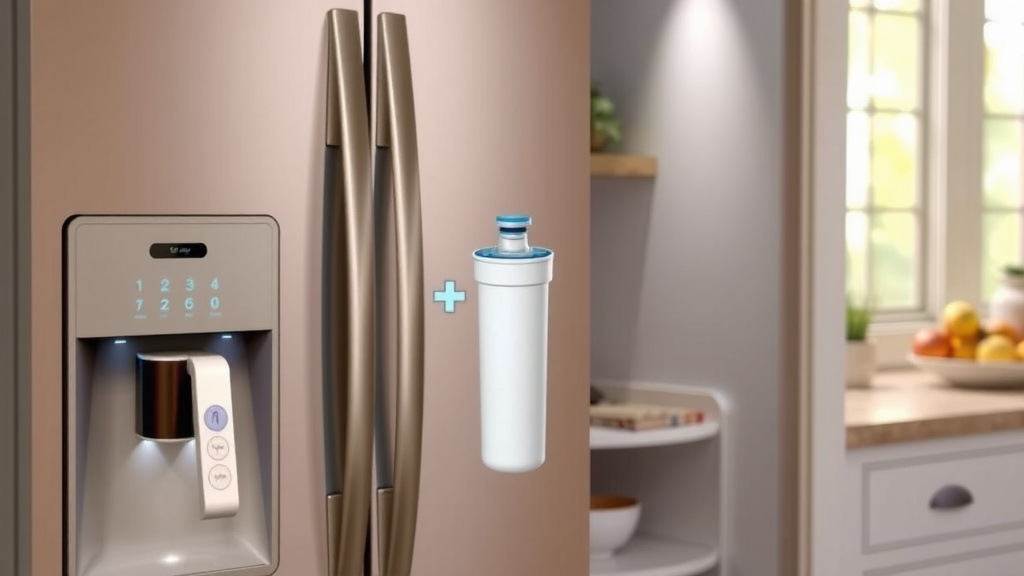
Resetting your GE refrigerator water filter light is a simple process. You can typically reset it by pressing and holding a specific button or combination of buttons on your refrigerator’s control panel for a few seconds. This action tells your fridge that you’ve replaced the filter and it should start a new count.
Knowing how to properly reset your filter indicator is important for maintaining the quality of your drinking water. Many GE models have a built-in system to remind you when it’s time for a new filter. Ignoring this reminder can lead to less effective filtration and potentially impact the taste of your water. We found that the reset method can vary slightly depending on your specific GE refrigerator model.
- Locate your refrigerator’s control panel.
- Identify the button(s) related to water filter status.
- Press and hold the designated button(s) until the light resets.
- Check your manual if you’re unsure about your specific model.
Let’s walk through exactly how to reset that GE refrigerator water filter light, step by step. We’ll cover the common methods and what to do if you’re having trouble.
Giving Your GE Refrigerator Water Filter a Fresh Start
So, you’ve just swapped out that old water filter for a shiny new one. Great job! Now, your GE refrigerator needs to know about this change. This is where resetting the water filter indicator light comes in. It’s a simple step that ensures you keep getting the best quality water. We found that most GE models have a straightforward way to do this.
Understanding the GE Water Filter Indicator Light
That little light is your refrigerator’s way of talking to you. It’s a reminder, not a threat! When it turns yellow or red, it’s time to think about replacing your water filter. Many experts suggest replacing your filter every six months, or sooner if you notice a change in water taste or flow. Ignoring it means you might be drinking water that isn’t filtered as effectively.
Why Resetting is Important
Resetting the light tells your fridge, “Okay, I’ve got a new filter in here!” It then starts a new countdown for the next replacement. If you don’t reset it, the light will stay on, and you might forget that you actually replaced the filter. This could lead to you replacing it again too soon, or worse, continuing to use an old filter longer than you should.
Finding Your GE Refrigerator’s Control Panel
The first step is always finding where the controls are. Most GE refrigerators have their control panel located on the front of the refrigerator door. Sometimes, it might be inside the refrigerator compartment itself, often near the top. Take a look around the dispenser area or the top edge of the freezer door. You’re looking for a series of buttons and a display.
Common Control Panel Locations
We’ve seen control panels in a few different spots. The most common are:
- Above the water and ice dispenser.
- On the upper exterior of the refrigerator door.
- Inside the refrigerator, usually on the ceiling.
Common Methods for Resetting Your GE Water Filter Light
GE uses a few different button combinations to reset the water filter light. The exact method often depends on the specific model of your refrigerator. Don’t worry, we’ll cover the most frequent ones. We found that pressing and holding a button for a set amount of time is the key.
Method 1: Press and Hold the Filter Button
Many GE models have a dedicated button for water filter status. This button might be labeled “Filter,” “Water Filter,” “Reset,” or show a filter icon. You’ll usually need to press and hold this button for about 3 to 5 seconds. Keep holding it until the light changes color or turns off, and then ideally back to green or blue.
What to Look For
When you do this correctly, you should see the “Replace Filter” light go off. It might flash for a moment before going dark. Then, your refrigerator’s system will recognize the new filter. You’ve successfully reset it! If it doesn’t work the first time, try again, making sure you’re pressing it firmly and holding it for the full duration.
Method 2: The “Lock” or “Child Lock” Button Combination
Some GE refrigerator models use a different approach. Instead of a dedicated filter button, you might need to press and hold a different button, often the “Child Lock” or “Lock” button. Sometimes, it’s a combination of buttons. For example, you might need to press and hold the “Child Lock” and another button, like “Energy Saver,” simultaneously for a few seconds.
Checking Your Model’s Specifics
We found that this method is common on models that don’t have a clearly labeled “Filter Reset” button. The exact combination can vary. Always check your user manual if you’re unsure. It’s the best source for your specific appliance. The manual will tell you exactly which buttons to use and for how long.
Method 3: The “Sabbath” or “Display On/Off” Button
On a few GE refrigerator models, you might find that holding down the “Sabbath” mode button or the “Display On/Off” button for about 3 to 5 seconds can reset the water filter indicator. This is less common, but it’s worth trying if the other methods don’t work. It’s all about finding that one specific sequence for your fridge.
When the Standard Reset Doesn’t Work
It can be frustrating when the usual steps don’t seem to do the trick. Don’t panic! There are a few things to consider. Firstly, ensure you’re pressing the correct button(s). Sometimes the labels can be a little small or worn off. Double-check your model number and search for your user manual online if you’ve lost it. Many manufacturers provide downloadable PDFs.
Consulting Your Refrigerator Manual
Your refrigerator’s manual is your best friend in these situations. It will have a section dedicated to the water filter, including specific instructions for replacement and resetting the indicator light for your exact model. We found that manuals often provide diagrams too, which can be super helpful.
Checking the Filter Installation
Sometimes, the light might not reset because the new filter wasn’t installed correctly. Ensure it’s fully seated and locked into place according to the instructions that came with the filter or your refrigerator. A loose filter might prevent the system from registering its presence, which could interfere with the reset process.
When to Call for Help
If you’ve tried everything and the light still won’t reset, it might be time to contact GE customer support. There could be an issue with the control panel itself or the refrigerator’s internal system. They can guide you through advanced troubleshooting or arrange for a service technician. It’s always best to get professional help if you suspect a deeper problem.
Your Water Filter Reset Checklist
Here’s a quick rundown to make sure you’ve covered all the bases:
- Locate your control panel: Find the buttons on your GE fridge.
- Identify the correct button(s): Look for filter, reset, or lock labels.
- Press and hold: Keep the button(s) pressed for 3-5 seconds.
- Observe the light: Watch for it to change color or turn off.
- Confirm the reset: Ensure the indicator light shows it’s ready.
- Consult your manual: If unsure, grab your user guide!
Conclusion
You’ve successfully learned how to reset your GE refrigerator’s water filter light! It’s a straightforward process that keeps your water clean and your fridge running smoothly. Remember, the key is usually pressing and holding a specific button or combination of buttons for a few seconds. We found that checking your user manual is always your best bet if you’re unsure about your specific model. Now, you can confidently enjoy fresh, filtered water. Keep an eye on that indicator light, and you’ll always know when it’s time for a quick reset.
Frequently Asked Questions
How long do I need to hold the button to reset the filter light?
Typically, you’ll need to press and hold the correct button or button combination for about 3 to 5 seconds. Keep holding it until you see the light change color or turn off completely. We found that holding it slightly longer is sometimes necessary if it doesn’t reset on the first try.
What if my GE refrigerator doesn’t have a dedicated “Filter Reset” button?
Don’t worry, this is common! Many GE models use a different button, like the “Child Lock” or “Lock” button, or even a combination of two buttons. Your refrigerator’s user manual will tell you the exact sequence to use for your specific model. We’ve seen this method work reliably.
Can I reset the water filter light without a new filter installed?
While you can usually perform the reset action, it’s best practice to only reset the light after you’ve installed a new water filter. The system is designed to track filter usage, and resetting it prematurely might lead to replacing the filter sooner than needed.
My filter light is still on after resetting. What should I do?
If the light persists, first double-check that the new filter is installed correctly and fully seated. Then, try the reset procedure again, ensuring you’re pressing the right buttons for the correct duration. If it still doesn’t work, consult your manual or contact GE customer support.
How often should I actually replace my GE refrigerator water filter?
GE generally recommends replacing your water filter every six months. However, this can vary based on your water usage and local water quality. If you notice a decrease in water flow or a change in the taste of your water, it’s a good sign you should replace it sooner.