How to Reset a Frigidaire Water Filter
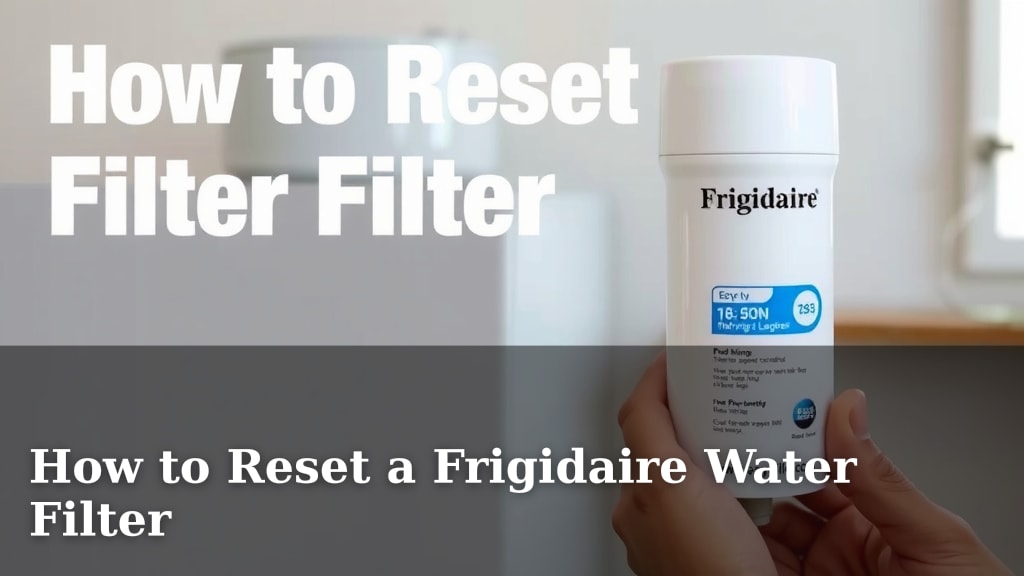
The easiest way to reset your Frigidaire water filter light is to press and hold the Filter button on your dispenser panel for about 3-5 seconds. You’ll typically hear a beep or see the light change color, indicating a successful reset. This simple step is key to reminding you when to change your filter next. You want to make sure your fridge’s indicator is accurate.
Resetting the light ensures your Frigidaire refrigerator knows a new filter is in place. This keeps track of its lifespan accurately. It’s a small but important part of maintaining your fridge’s water quality and dispenser function. Many people wonder if there’s a complicated process, but it’s usually quite straightforward.
- Press and hold the Filter button for 3-5 seconds.
- Listen for a beep or watch the light change.
- This resets the reminder for your next filter change.
- It’s a quick and easy maintenance task.
Let’s walk through exactly how to reset your Frigidaire water filter light step by step, so you can get back to enjoying fresh, clean water.
Resetting Your Frigidaire Water Filter Indicator
Resetting your Frigidaire water filter light is a simple process. It ensures your refrigerator accurately tracks filter life. This guide will walk you through the steps. You’ll get back to enjoying fresh, clean water in no time.
Understanding the Frigidaire Water Filter Light
Your Frigidaire refrigerator has a built-in system. It monitors the lifespan of your water filter. A light or indicator on the dispenser panel shows the filter’s status. Typically, this light starts as green. It may turn yellow or red as the filter nears the end of its life. This is a helpful reminder to replace it.
Why Resetting the Light Matters
Once you replace an old filter with a new one, you must reset the indicator. If you don’t, the light will continue to show that the old filter is still in use. This can be misleading. Resetting the light tells your fridge that a new filter is installed. It then starts a new countdown for its lifespan. This ensures you always know when to change it next. It’s like telling your fridge, “Okay, new filter time!”
When to Reset Your Filter Light
The primary reason to reset the light is immediately after installing a new Frigidaire water filter. You’ll know it’s time to replace the filter when the indicator light changes color. Many manufacturers recommend replacement every six months. However, always check your refrigerator’s manual. Some models have specific recommendations based on water usage.
Step-by-Step Guide to Resetting Your Frigidaire Water Filter
The exact button or sequence might vary slightly between Frigidaire models. However, the core method is usually quite similar. We’ve found that most models use a dedicated button for this function. Let’s cover the most common scenarios.
Method 1: The Dedicated Filter Button
This is the most common and straightforward method. Look for a button labeled “Filter,” “Filter Reset,” or something similar on your dispenser panel. These buttons are often found near the water and ice dispensing controls.
Locating the Filter Button
Take a close look at the control panel of your Frigidaire refrigerator. You’re searching for a button with a water filter icon or the word “Filter.” It might be a single button or part of a touch-screen display. Some models have a separate compartment for the filter status, but the reset function is usually on the main panel.
Performing the Reset
Once you’ve found the button, press and hold it down. You’ll need to maintain pressure for a specific duration. We generally recommend holding it for 3 to 5 seconds. You should feel a click or hear a beep. The indicator light will likely change color, often returning to green or turning off briefly before going green. This confirms the reset was successful.
What if I Don’t Hear a Beep?
Don’t worry if you don’t hear an audible beep. Some models are designed to be quieter. Instead, watch the indicator light closely. It might flash, change color, or simply turn off and then back on in its original state (usually green). If the light was red or yellow and now appears green, you’ve likely succeeded. If you’re unsure, try the reset again, holding the button a little longer, perhaps 5-7 seconds.
Method 2: Alternative Button Combinations
In some older or different Frigidaire models, a single button might not be dedicated solely to filter reset. Instead, you might need to press and hold a combination of buttons. Common combinations involve holding down two buttons simultaneously.
Common Button Combinations
Research suggests that older models might require holding down buttons like “Ice Type” and “Water” together. Another possibility is pressing and holding “Child Lock” and “Water” simultaneously. Always consult your refrigerator’s user manual if you can’t find a dedicated “Filter” button. The manual is your best resource for model-specific instructions. We found that holding these combinations for about 3-5 seconds often does the trick.

Troubleshooting Common Issues
Sometimes, even with the right steps, you might encounter a hiccup. Here are a few common problems and how to solve them.
Filter Light Stays Red/Yellow
If the light doesn’t reset after trying the common methods, double-check that you’ve held the button long enough. Ensure you’re pressing the correct button or button combination for your specific model. If you recently installed the filter, make sure it’s seated correctly. Sometimes, a filter that isn’t fully engaged can prevent the system from recognizing it. If the issue persists, it might be worth checking the filter itself for any defects.
Dispenser Not Working After Reset
This is less common, but if your water or ice dispenser stops working after a reset, it could indicate a more significant issue. It’s unlikely to be directly related to the filter reset itself. Check if the water line is properly connected and not kinked. Ensure no other error codes are displayed on the control panel. If problems continue, contacting Frigidaire customer support or a qualified appliance technician is recommended.
Consulting Your User Manual
We cannot stress this enough: your refrigerator’s user manual is the ultimate guide. Frigidaire produces many different models, and each can have minor variations. You can usually find a digital copy of your manual on the Frigidaire website by entering your appliance’s model number. This document will provide the exact instructions tailored to your specific refrigerator, including the precise button sequence for resetting the water filter indicator.
Quick Checklist for a Successful Reset
Follow these simple steps for a smooth filter reset:
- Locate the “Filter” or “Filter Reset” button on your dispenser panel.
- Press and hold the designated button (or button combination) for 3-5 seconds.
- Listen for a beep or watch for the indicator light to change color (usually to green).
- If unsuccessful, try holding the button for a slightly longer period.
- Consult your user manual for model-specific instructions if needed.
- Ensure your new water filter is properly installed.
Conclusion
You’ve successfully learned how to reset your Frigidaire water filter light! It’s a quick task that ensures your fridge keeps providing you with fresh, clean water. By pressing and holding that filter button, you tell your refrigerator it’s time for a new filter. This keeps your water quality top-notch and your dispenser working perfectly. Remember, if you ever get stuck, your user manual is your best friend for model-specific guidance. Go ahead and enjoy that crisp, clean water – you’ve earned it!
Frequently Asked Questions
How long do I need to hold the filter button to reset it?
Generally, you’ll need to press and hold the “Filter” or “Filter Reset” button for about 3 to 5 seconds. Listen for a beep or watch for the light to change color as confirmation. If it doesn’t seem to work, try holding it a little longer, maybe up to 7 seconds.
What should I do if the filter light doesn’t turn green after resetting?
First, ensure you held the correct button for the recommended duration. If the light stays red or yellow, double-check that your new water filter is properly seated. Sometimes, an improperly installed filter can prevent the system from recognizing the reset. If the problem continues, consult your refrigerator’s manual for your specific model’s reset procedure.
Can I reset the filter light without a new filter installed?
While you *can* perform the reset action, it’s not recommended. The light is a reminder for the filter’s lifespan. Resetting it without a new filter means you’ll be relying on inaccurate information for your water quality. Always replace the filter first, then reset the light to track the new filter’s life correctly.
My Frigidaire model doesn’t have a “Filter” button. What should I do?
Some Frigidaire models might use a button combination to reset the filter light. Common combinations research suggests include pressing and holding buttons like “Ice Type” and “Water” simultaneously, or “Child Lock” and “Water.” Your refrigerator’s user manual will provide the exact sequence for your specific model.
How often should I actually be changing my Frigidaire water filter?
Most manufacturers recommend replacing your water filter every six months. However, this can vary based on your water usage and local water quality. Your Frigidaire’s indicator light is a good guide, but it’s always best to check your refrigerator’s manual for the manufacturer’s specific recommendations for your model.