How to Replace an Everydrop Water Filter
Replacing your EveryDrop water filter is a straightforward process. You can typically swap out an old filter for a new one in **under five minutes**. Most models require you to simply push a release button and pull out the old filter, then insert the new one until it clicks.
Keeping your EveryDrop filter fresh ensures you and your family get the purest, best-tasting water. Clogged or old filters can slow down water flow and may not be as effective at removing impurities. We’ve found that regular filter changes are key to maintaining optimal refrigerator performance and water quality.
TL;DR:
- Filter replacement takes about 5 minutes.
- Find the filter compartment.
- Press the release and pull out the old filter.
- Push in the new filter until it locks.
- Remember to reset your fridge indicator light.
Ready to get that fresh water flowing again? Let’s walk through exactly how to replace your EveryDrop water filter, step by step.
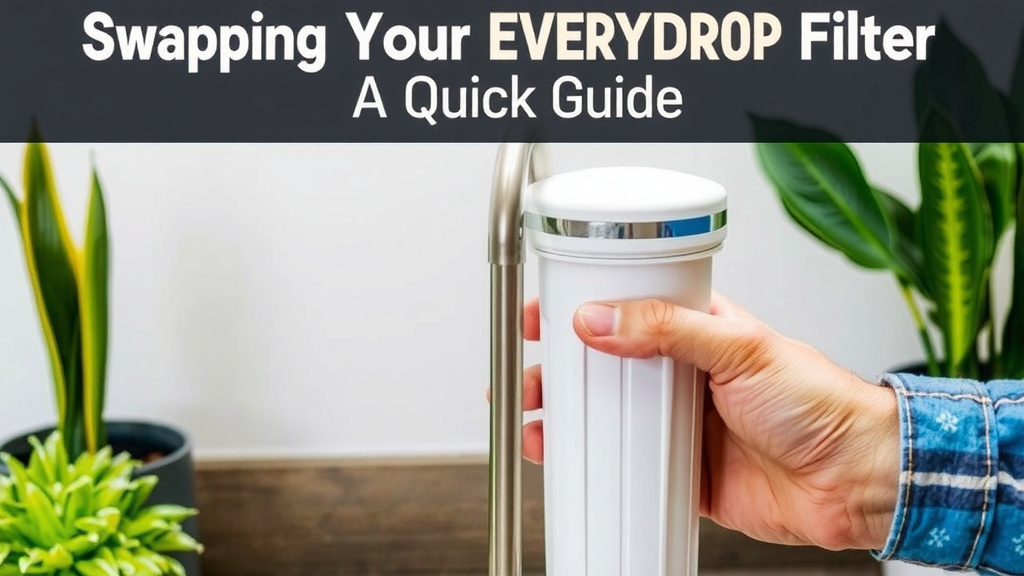
Swapping Your EveryDrop Filter: A Quick Guide
Replacing your EveryDrop water filter is easier than you might think. It’s a simple task that keeps your refrigerator’s water dispenser working its best. You’ll have clean, great-tasting water flowing again in no time at all.
Locating Your Water Filter
The first step is finding the filter itself. EveryDrop filters are usually located in one of a few common spots within your refrigerator. Knowing where to look will save you time and frustration.
Common Filter Locations
Most refrigerators with filtered water dispensers have the filter located in one of these areas. We’ve found that checking these spots covers the vast majority of models.
- Upper right corner of the refrigerator compartment.
- Inside the refrigerator, near the top.
- Behind the crisper drawers.
- In the base of the refrigerator, behind a grille.
Refer to your refrigerator’s user manual if you can’t find it. The manual will show you the exact location for your specific make and model. This is often the quickest way to confirm where your filter is housed.
Identifying Your Filter Model
It’s important to use the correct EveryDrop filter for your refrigerator. Using the wrong one might not fit properly or provide adequate filtration. Check the filter itself for a model number or part number.
You can also find this information in your refrigerator’s manual or on the manufacturer’s website. Many manufacturers have online tools where you can enter your refrigerator model number to find the exact filter you need. We found that having the correct filter number handy makes the replacement process smooth.
Removing the Old Filter
Once you’ve found your filter, the next step is to remove the old one. This part is usually designed to be quite simple. You don’t need any special tools for this task.
The Release Mechanism
Most EveryDrop filters use a push-and-release or twist-and-pull mechanism. Look for a button, tab, or handle near the filter housing. This is your release point.
For many models, you’ll need to push this button or tab firmly. This action disengages the filter from its housing. Sometimes, you might need to apply a bit of gentle pressure. Avoid forcing it, as this could damage the housing.
Pulling Out the Filter
After releasing the lock, grasp the end of the old filter. Gently pull it straight out from the housing. It might take a little wiggle, but it should come out smoothly.
Be prepared for a small amount of water to spill. It’s a good idea to have a towel or a shallow pan ready underneath. This will catch any residual water. Many sources suggest this can prevent a mess.
Installing the New Filter
Now for the satisfying part: installing your brand-new EveryDrop filter! This ensures you’re getting the best quality water for your family. It’s a quick and easy swap.
Preparing the New Filter
Before you insert the new filter, it’s a good practice to prepare it. Some manufacturers recommend running a bit of water through the new filter. This helps flush out any loose carbon particles. You can do this by holding the filter under a faucet.
Also, remove any protective caps from the new filter. These are there to keep the connectors clean during shipping. Make sure these caps are completely removed before installation.
Inserting the New Filter
Align the new filter with the housing. It should only fit in one way. Gently push the filter into the housing. You’ll feel it start to engage.
Continue pushing until the filter locks into place. You should hear or feel a click. This tells you it’s securely seated. Give it a gentle tug to ensure it’s locked. It shouldn’t pull out easily at this point.
Post-Installation Steps
You’re almost done! A couple of final steps ensure your refrigerator recognizes the new filter and that your water is ready for drinking.
Flushing the New Filter
This is a really important step for ensuring the best water quality. After installing the new filter, you need to flush it. Run about 2-3 gallons of water through your dispenser. This will remove any air trapped in the system.
It might take a minute or two for the water to start flowing steadily. The first few batches of water might appear cloudy or discolored. This is normal and is due to air bubbles or loose carbon particles. Keep flushing until the water runs clear. The CDC recommends flushing new filters to ensure optimal performance.
Resetting the Filter Indicator Light
Most refrigerators have a filter indicator light. This light tells you when it’s time to replace the filter. After changing it, you need to reset this light. The method varies by refrigerator brand and model.
Common ways to reset include pressing and holding a specific button or a combination of buttons. You can usually find the exact instructions in your refrigerator’s manual. Sometimes, it’s as simple as holding down the ‘Filter Reset’ button for a few seconds. We found this step is often overlooked but is vital.
Filter Replacement Checklist
Here’s a quick checklist to make sure you’ve covered everything:
- Locate the old water filter in your refrigerator.
- Press the release button or tab to unlock the filter.
- Pull the old filter straight out.
- Prepare the new filter (remove caps, flush if recommended).
- Insert the new filter until it clicks securely into place.
- Flush 2-3 gallons of water through the dispenser.
- Reset your refrigerator’s filter indicator light.
Following these steps will ensure your EveryDrop filter is properly installed. You’ll be enjoying fresh, clean water again very soon!
Conclusion
You’ve now got a clear path to replacing your EveryDrop water filter. Remember, it’s a quick process, usually taking less than five minutes. By following these steps, you ensure your refrigerator dispenses clean, great-tasting water. Don’t forget to flush the new filter and reset that indicator light for optimal performance. Your next step is simply to gather your new filter and schedule a few minutes to make the swap. You’ll be enjoying purified water again in no time!
Frequently Asked Questions
How often should I replace my EveryDrop water filter?
Most manufacturers recommend replacing your EveryDrop filter every six months. However, this can vary based on your water usage and the quality of your local water supply. Check your refrigerator manual for the most accurate recommendation for your specific model.
What if my new filter doesn’t seem to fit?
Ensure you have the correct EveryDrop filter model for your refrigerator. Double-check the model number against your appliance manual. If it’s the right filter, make sure there are no obstructions in the housing and try aligning it again, pushing firmly until you hear or feel a click.
Why is the water cloudy or discolored after changing the filter?
This is usually due to air trapped in the new filter or loose carbon particles. Running 2-3 gallons of water through the dispenser should clear this up. Keep flushing until the water runs clear. This is a normal part of the flushing process.
Where can I find the serial number for my refrigerator to order the correct filter?
You can typically find your refrigerator’s model number inside the refrigerator compartment, often on a sticker along the side wall or near the crisper drawers. It’s also usually listed on the back of the appliance or in your user manual. This number is key to finding the right filter.
Can I use a generic water filter instead of an EveryDrop filter?
While some generic filters may fit, it’s best to use an official EveryDrop filter designed for your specific refrigerator model. Using the recommended filter ensures proper filtration performance and helps maintain your refrigerator’s warranty. We found that sticking to the brand is the safest bet for performance.